


PhotoDoc
0.00.00 Reviews
App Specs
- Version
- 3.5.7
- Updated On
- License
- Free
- Downloads
- 10,000+
- Developer
- Wiseminer Informática Ltda
- Categories
- Medical
- Platform
- Android
Screenshots
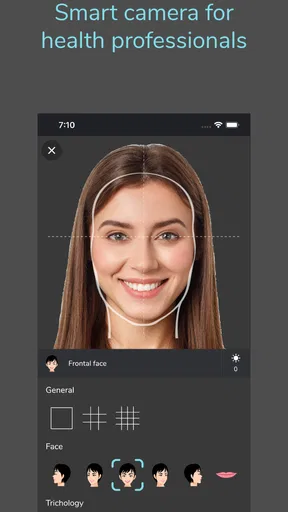
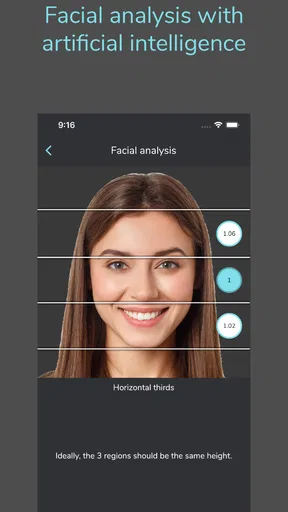
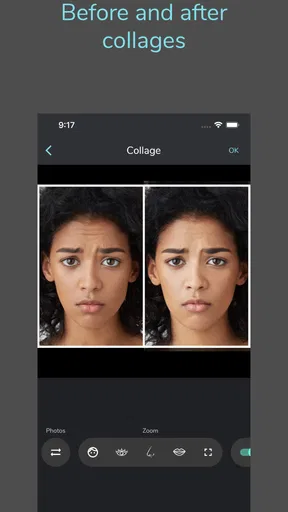
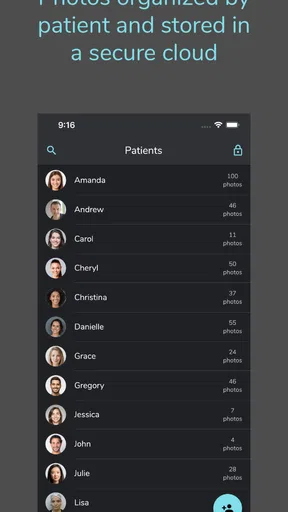
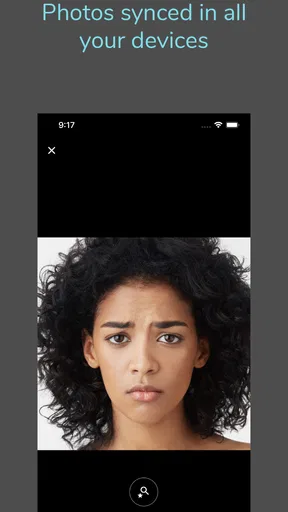
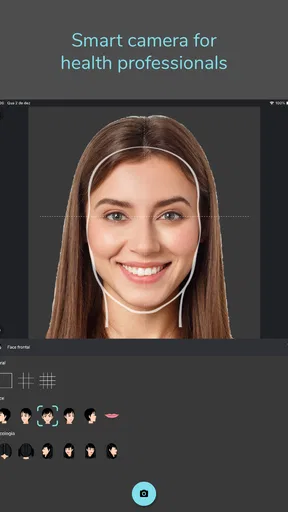
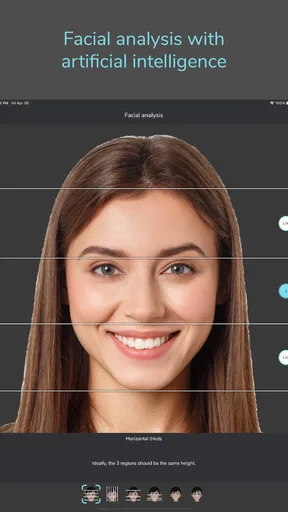
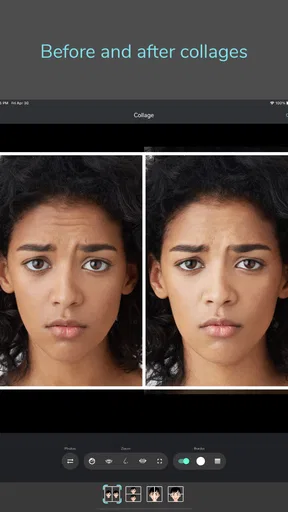
 Analysis by AppCompare
I approach healthcare photography differently from ordinary document scanning: a useful image needs context, careful handling, and a clear purpose, not just a sharp picture. That is why PhotoDoc caught my attention. It is a free medical app from Wiseminer Informática Ltda, aimed at healthcare professionals, and its focus on photos and video makes it more specialized than a general-purpose camera or file organizer. My practical advice is to treat it as a work tool for a defined clinical workflow, rather than assuming it will replace every camera, scanner, or patient-record system you already use.
Where setup and everyday use can get stuck
I find the most useful way to assess PhotoDoc is to look beyond the moment of capture: the real test is whether the image can be handled clearly and appropriately afterward. In the sections ahead, I focus on practical checks that can help separate a workflow snag from a device problem, while keeping professional procedures in view. That distinction matters before deciding whether this app belongs in a particular healthcare setting.
Start with the task, not the camera
The first question I would ask before opening the app is what the image needs to accomplish. A clinician documenting a visible change over time has a different need from someone capturing a reference image for a discussion or recording a short explanatory clip. Deciding that first helps avoid collecting material that is difficult to label or use later. In a busy setting, even a few seconds spent choosing the purpose can make the next step less confusing.
A realistic example is a healthcare professional who needs to document a change during a routine appointment. Before capturing anything, I would confirm that the image belongs in the workflow being used, prepare the subject and surroundings, and avoid including unrelated people or paperwork in the frame. Then I would check the result immediately, while the context is still fresh, rather than trusting that a hurried capture will be easy to identify later.
Simple setup checks before a capture
If a capture does not work as expected, I would begin with ordinary checks instead of repeatedly tapping the same control. Is the device ready to use? Is the app open in the intended workflow? Is there enough light to make the relevant detail visible? Is the subject positioned so the important area is not obscured? These checks are deliberately basic, but they address common sources of poor results without assuming anything about the app’s internal design.
For a useful comparison, take care to keep the framing and lighting as consistent as the situation allows when making images intended to be reviewed side by side. A dramatic change in angle or brightness can make two otherwise similar images look different. That does not mean every clinical image needs studio conditions; it means that consistency is often more helpful than chasing a perfect-looking shot.
Recovering from a rushed or unclear result
In a crowded clinic, the first attempt may be blurry, badly framed, or interrupted. I would pause, check whether the image is actually usable, and retake it while the subject is still available if appropriate. If the app appears unresponsive, I would avoid forceful repeated actions that might create uncertainty about which capture was saved. A careful restart of the immediate task is usually easier to reason about than a pile of duplicate or questionable files.
Worth Reading Before You Choose

Flipboard Shows What News Apps Must Do Beyond the Feed

Switching to Android Auto Means Rethinking Your Driving Routine

Google Calendar Makes a Crowded Week Easier to Manage

Ludo King Makes the Most of the Minutes Between Plans

Baby Panda World Brings Quick Play to Modern Phones, but Its Game Library Feels Busy

ESPN’s Live Game View Makes Following Close Games Easier
Another practical habit is to make the next action explicit: identify the item, confirm the intended destination within the approved workflow, and then move on. When photos and video are involved, a vague memory of what a file shows is not a dependable filing method. A short, consistent routine after each capture helps reduce mix-ups, especially when several similar cases are being handled in the same session.
When a technical problem may be elsewhere
Not every failed capture points to an app defect. Poor lighting, a smudged camera lens, movement, a device that is low on available storage, or a temporary device issue can all affect the experience. I would check these everyday possibilities before concluding that the app is at fault. If the problem continues, noting what was happening and whether it repeats after reopening the app gives support staff a clearer description than simply saying that it does not work.
Healthcare use also brings a different kind of friction: the right technical workflow may depend on local professional rules and workplace procedures. A convenient capture is not automatically an appropriate one. I would follow the organization’s instructions for consent, permitted use, access, retention, and sharing rather than treating a medical photography app as a substitute for those decisions. That caution matters more than any convenience feature.
What it is—and what it is not
The name and medical focus make PhotoDoc more relevant to healthcare professionals than a standard photo gallery, but I would not assume it replaces an electronic health record, a dedicated imaging system, or an organization’s approved storage process. Those tools may be better when the main requirement is structured patient records, formal clinical imaging, or tightly managed team access. A generic camera may be enough for casual photography, but it does not provide the same healthcare-oriented framing as an app built for professional use.
The key decision is whether the app fits the workflow around the image, not simply whether it can capture one. If your workplace already has a required system, use that as the source of truth and check whether PhotoDoc belongs in the approved process. If you are a patient looking for a personal health diary, or someone seeking medical advice from images, a professional-focused tool may not be the right choice; a clinician can advise you on an appropriate way to document and share information.
Who should consider it, and who should skip it
I can see PhotoDoc appealing most to healthcare professionals who need a purpose-built place to work with photos or video as part of their routine. The app has 10K+ installs, is rated for Everyone, and its current version is 3.5.1; it first became available on September 3, 2021. The average rating is currently 0.0, so there is no meaningful rating history to use as a shortcut when deciding. I would judge it by whether it fits your actual work setting and requirements, not by popularity alone.
Someone who only needs to scan receipts or convert textbook pages into editable text should look at a document-scanning app instead. Likewise, a professional who needs advanced image analysis, formal record integration, or organization-wide controls should verify that the tool they choose meets those requirements before bringing it into practice. PhotoDoc’s healthcare focus is a reason to consider it, not proof that it covers every clinical or administrative need.
There is also a cost question worth checking before relying on it for regular work. The app is free to download, with in-app purchases ranging from $9.99 to $349.99 per item. I would review the purchase options in the app and establish who would pay before building a team routine around it. A free starting point can lower the barrier to trying a workflow, but it does not tell you which paid option, if any, makes sense for your use.
A sensible way to evaluate it
I would test the app first with a low-risk, appropriate task in the setting where it will actually be used. Check whether opening it, capturing the material, reviewing the result, and completing the next step feels straightforward under normal working conditions. Then ask whether the result is easy to identify and whether the workflow complies with your organization’s rules. This small trial is more informative than relying on a polished demonstration or assuming that a feature will fit every team.
One useful trade-off to keep in mind is speed versus consistency. Capturing quickly may help during a busy day, but a repeatable routine for framing and handling images is more valuable when later review matters. Another is convenience versus separation: keeping work material distinct from personal photos can make everyday device use clearer, but the exact method should follow your workplace’s approved process. These are workflow choices, not benefits I would assume the app automatically provides.
PhotoDoc is a free medical app for healthcare professionals, developed by Wiseminer Informática Ltda, with a focused role in photo and video use. I would consider it when that specific need is present and the workplace can confirm an appropriate way to use it. I would skip it for ordinary document scanning, personal diagnosis, or any situation where a more specialized record or imaging system is required. In short, it is worth evaluating as one part of a careful professional workflow, not treating as a complete solution on its own.
Ever had one of those moments where you're swamped with paperwork and wish there was a way to magically convert those documents into digital format? Well, I stumbled upon an app called PhotoDoc that promises to make this dream a reality. Intrigued by its potential to revolutionize my work-life balance, I decided to give it a shot. Let me walk you through my experience.
The Magic of Document Digitization
Right off the bat, PhotoDoc feels like a lifesaver. Imagine a day where you don't need to lug around piles of paper and instead have everything neatly stored on your phone. The app’s main selling point is its ability to scan documents with your phone’s camera, converting them into various digital formats. What’s even cooler? It recognizes text from images and lets you edit it on the go. I found this feature particularly useful when dealing with contracts and receipts.
Getting Started with Ease
Setting up the app was a breeze. After downloading it from the app store, I was greeted with a user-friendly interface. The layout is intuitive, which is a huge plus for someone like me who doesn’t have the patience to navigate complex menus. A quick tap on the "Scan" button and I was ready to digitize my first document. The app guides you through the process, ensuring that you capture the best possible image.
Features that Stand Out
One of the standout features of PhotoDoc is its optical character recognition (OCR) capability. This means you can scan a page of text, and the app will convert it into editable text. I tested this with a rather dense page of a textbook, and the results were impressive. The accuracy wasn’t perfect, but it was close enough for most practical purposes.
Another feature worth mentioning is the ability to organize documents into folders within the app. It’s like having a portable filing cabinet. You can tag documents and easily retrieve them later. Plus, the app supports cloud integration, which means you can back up your files to services like Google Drive or Dropbox. This is a game-changer for anyone who needs access to documents across multiple devices.
Security and Privacy Concerns
In today’s world, security is paramount, especially when dealing with sensitive documents. PhotoDoc takes this seriously. The app offers encryption for your files, ensuring that your data remains secure. Additionally, it doesn’t store your documents on its servers, which means you have full control over your data. For someone who values privacy, this was reassuring.
Performance and Usability
Using the app over the past few weeks, I’ve found it to be quite reliable. It didn’t crash or lag, which is always a good sign. The scanning process is quick, and the app automatically crops and adjusts the image to enhance readability. I tried it under different lighting conditions, and while it struggled a bit in low light, the results were generally satisfactory.
Who Will Benefit the Most?
I’d say PhotoDoc is a must-have for professionals who deal with a lot of paperwork, such as lawyers, accountants, or anyone in the administrative field. Students might also find it helpful for scanning notes or textbooks. It’s like having a mini scanner in your pocket, ready to tackle any document-related task.
Room for Improvement
While the app is packed with useful features, there are a few areas where it could improve. The OCR, although good, could be more accurate, especially with handwritten text. Also, the free version has some limitations, like a cap on the number of scans per month. If you’re a heavy user, you might need to consider the premium version.
Overall, my experience with PhotoDoc has been overwhelmingly positive. It delivers on its promise of turning your smartphone into a powerful document manager. Whether you’re looking to declutter your workspace or need a reliable way to digitize and organize documents, this app is definitely worth considering. Give it a try, and you might find it as indispensable as I did.
Pros
- User-friendly interface for easy navigation.
- High-quality photo scanning capabilities.
- Quick sharing options to cloud services.
- Supports multiple file formats.
- OCR feature for text extraction.
Cons
- Limited free version features.
- Requires online access for some tools.
- Occasional ad interruptions.
- No batch processing option.
- Lacks advanced editing tools.
FAQs for PhotoDoc
What is PhotoDoc and what does it do?
PhotoDoc is a powerful mobile application designed for both Android and iOS platforms that specializes in enhancing and managing your digital photos. It offers a range of features including advanced editing tools, organizational capabilities, and seamless sharing options. Whether you're a professional photographer or a casual user, PhotoDoc provides the tools necessary to elevate your photo experience.
Is PhotoDoc free to use, or does it require a subscription?
PhotoDoc offers a free version with basic features that cater to casual users. However, for access to advanced tools and additional functionalities such as enhanced filters, cloud storage, and ad-free experience, a subscription is required. The subscription options are available on a monthly or yearly basis, providing flexibility to suit different user needs.
What are the main features of PhotoDoc?
PhotoDoc comes equipped with a variety of features aimed at improving photo quality and user experience. Key features include advanced editing tools, batch processing, AI-enhanced filters, facial recognition for easy organization, and direct social media integration. Additionally, users can enjoy secure cloud storage options to keep their photos safe and accessible from any device.
Is PhotoDoc user-friendly for beginners?
Yes, PhotoDoc is designed with user-friendliness in mind. It features an intuitive interface that makes it accessible even for beginners. The app includes guided tutorials and tips to help new users understand and utilize the tools effectively. Whether you're new to photo editing or have experience, PhotoDoc provides a seamless and enjoyable experience.
Can PhotoDoc be used offline?
PhotoDoc can be used offline to a certain extent. While basic editing features are available without an internet connection, some functionalities such as cloud storage access, online sharing, and AI-enhanced filters require connectivity. For a full experience, it is recommended to have an internet connection, but offline capabilities ensure users can still edit and manage photos without interruptions.


